THE YAP MACHINE

Dave’s own Yap Machine ad, made with it. Captions, graphics, punch-ins and cutaways—without the timeline work.

Your footage. Your style. Your week back.

One recording.
A month of content.

Turn rough recordings, clips and photos into polished reels, Stories and carousels—without giving your evenings to a timeline. Tell Claude what you want. The Yap Machine does the editing.

$37

One time · Yours to use

One time. Windows 10 or 11, or macOS 13+. Needs your own paid Claude plan, billed by Anthropic. 7-day refund if it will not run on your computer.

Mac needs macOS 13 or newer.

See what it makes ↓
No timelineNo editing lessonsNo monthly bill from usYour real voice and footage
Built for the output creators need

More finished content.
Less production grind.

The Yap Machine already knows the work a UGC creator faces: ideas, hooks, scripts, edits, captions, music, graphics, b-roll and every extra format. It takes that work off your plate so high output does not have to mean giving up your evenings.
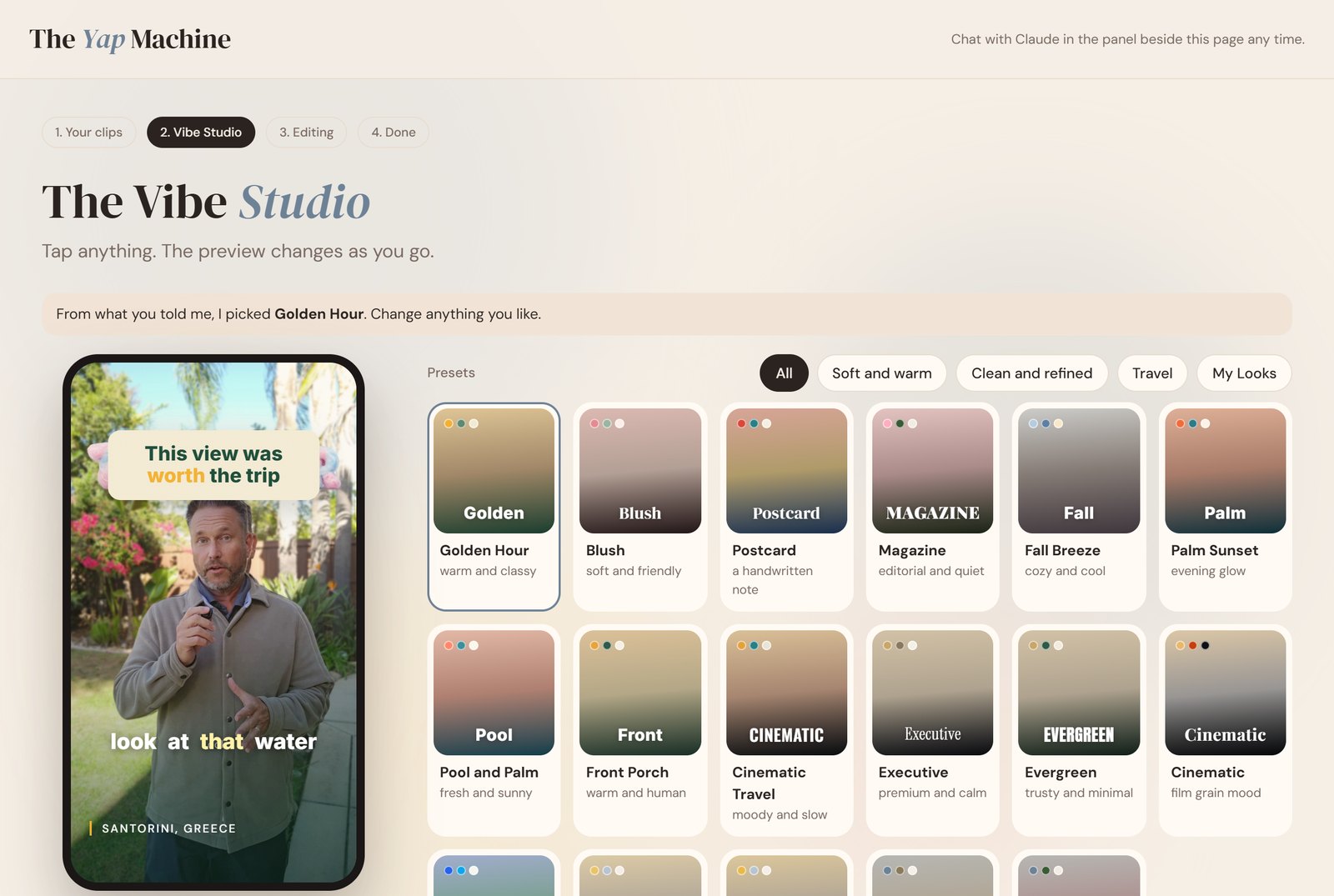
The Yap Machine Vibe Studio with colorful Looks and a live phone preview
Your own colorful editing Studio. Choose a Look and watch your video preview change.
01

Produce without the pile-up.

Turn one recording into reels, Stories, carousels and Shorts, or work through a whole folder. More finished posts without repeating the same edit.

02

Start plug and play.

Bring clips or only an idea. Pick a ready-made Look and let Claude handle the script, cut, captions, music, graphics and b-roll.

03

Customize as much as you want.

Match your own aesthetic or an example you like. Save the fonts, colors, captions and motion as your Look—or a different one for every client.

Simple by default. Yours when you want it.

Tell it the vibe. Keep creative control.

Drop in your clips, tap a Look and watch your own preview change. Use the preset exactly as it is, or show Claude the style you want and adjust every detail. Either way, you review the plan before the final render.
  • Pick colors, captions, sound and energy.
  • Change any planned moment in plain English.
  • Review everything before the final render.
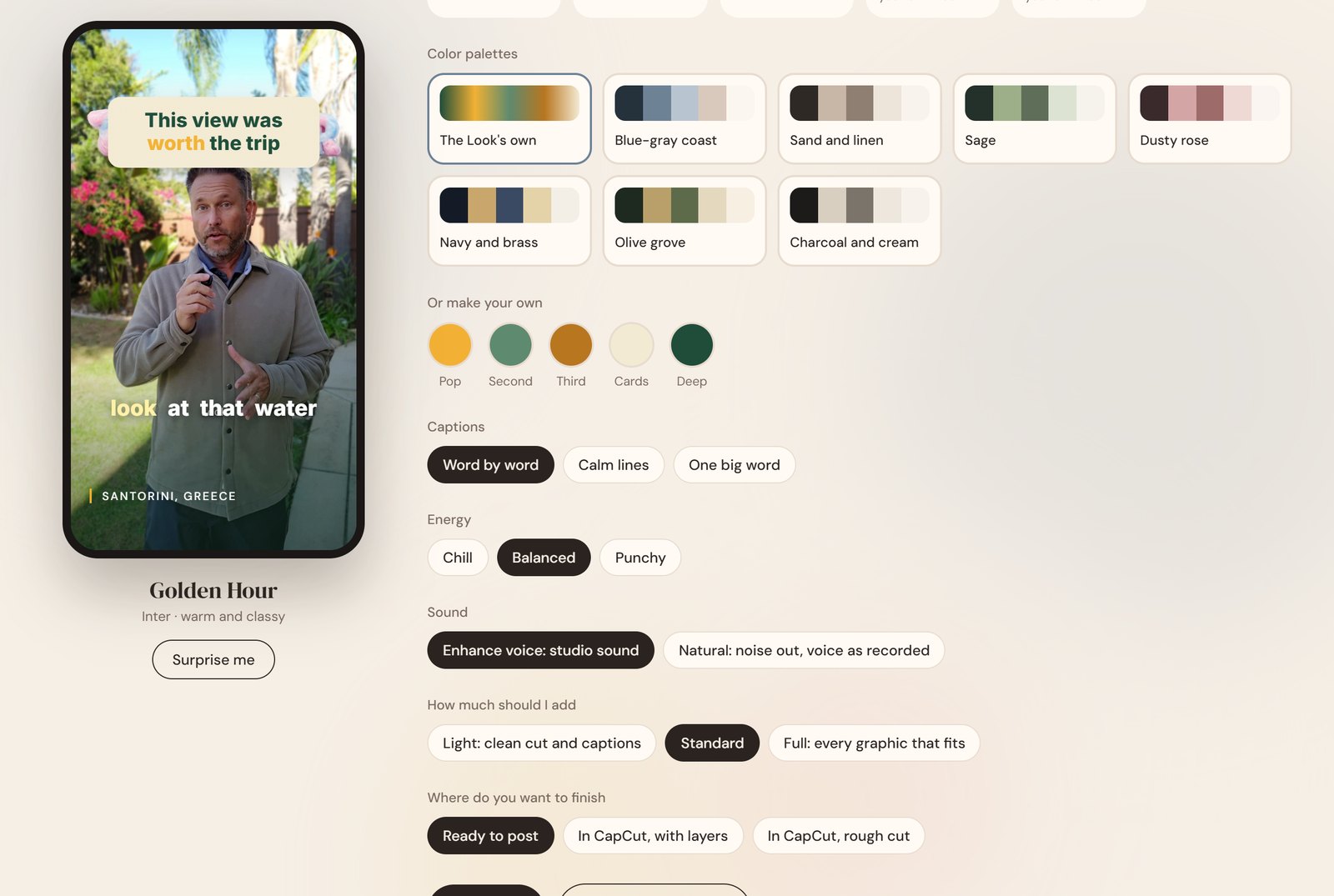
Studio color palettes, caption choices, energy and sound controls
Make it yours: colors, captions, energy, sound and how finished you want it.
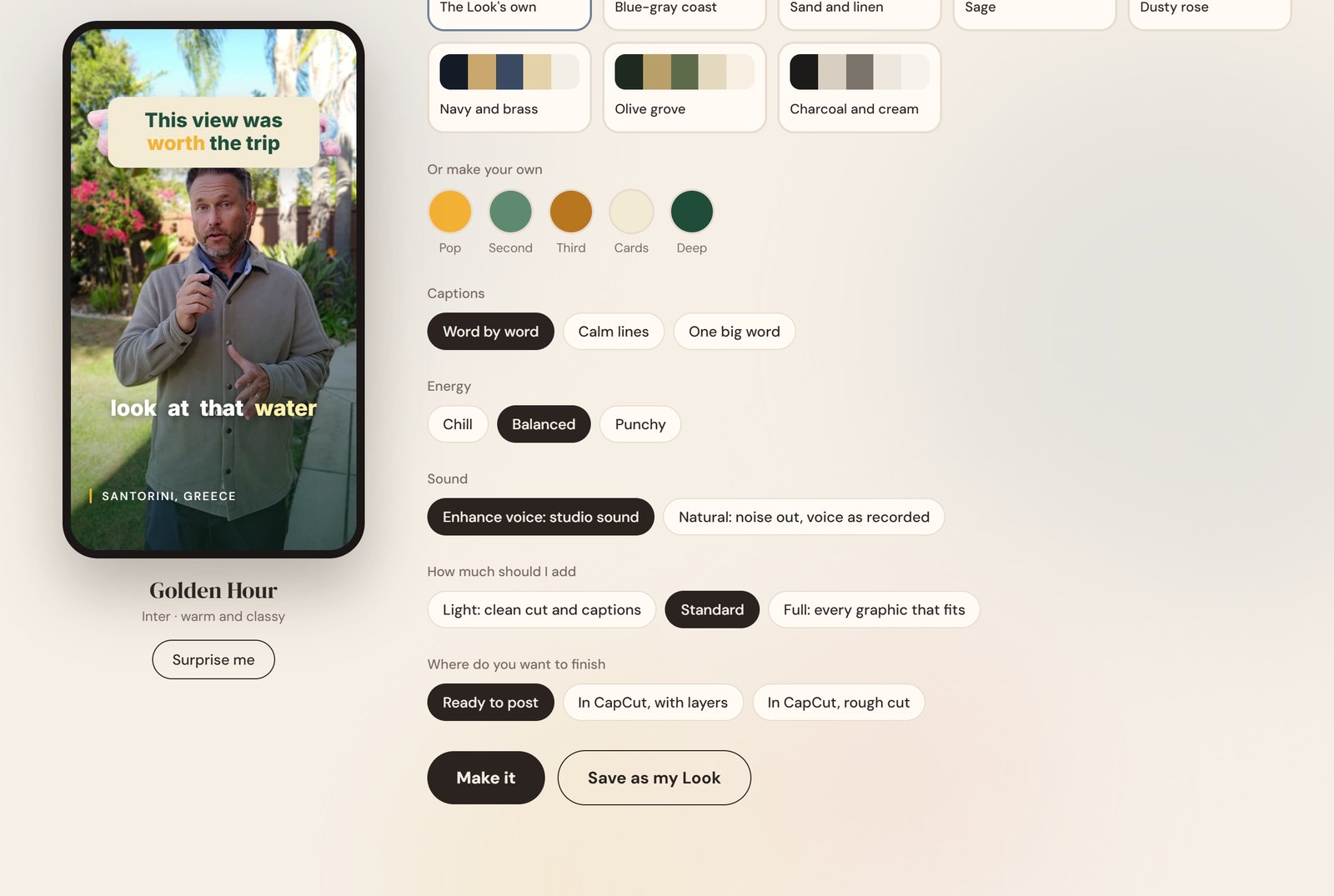
Studio options for choosing a Look, captions, energy and output
Start with a vibe, then make every detail feel like you.
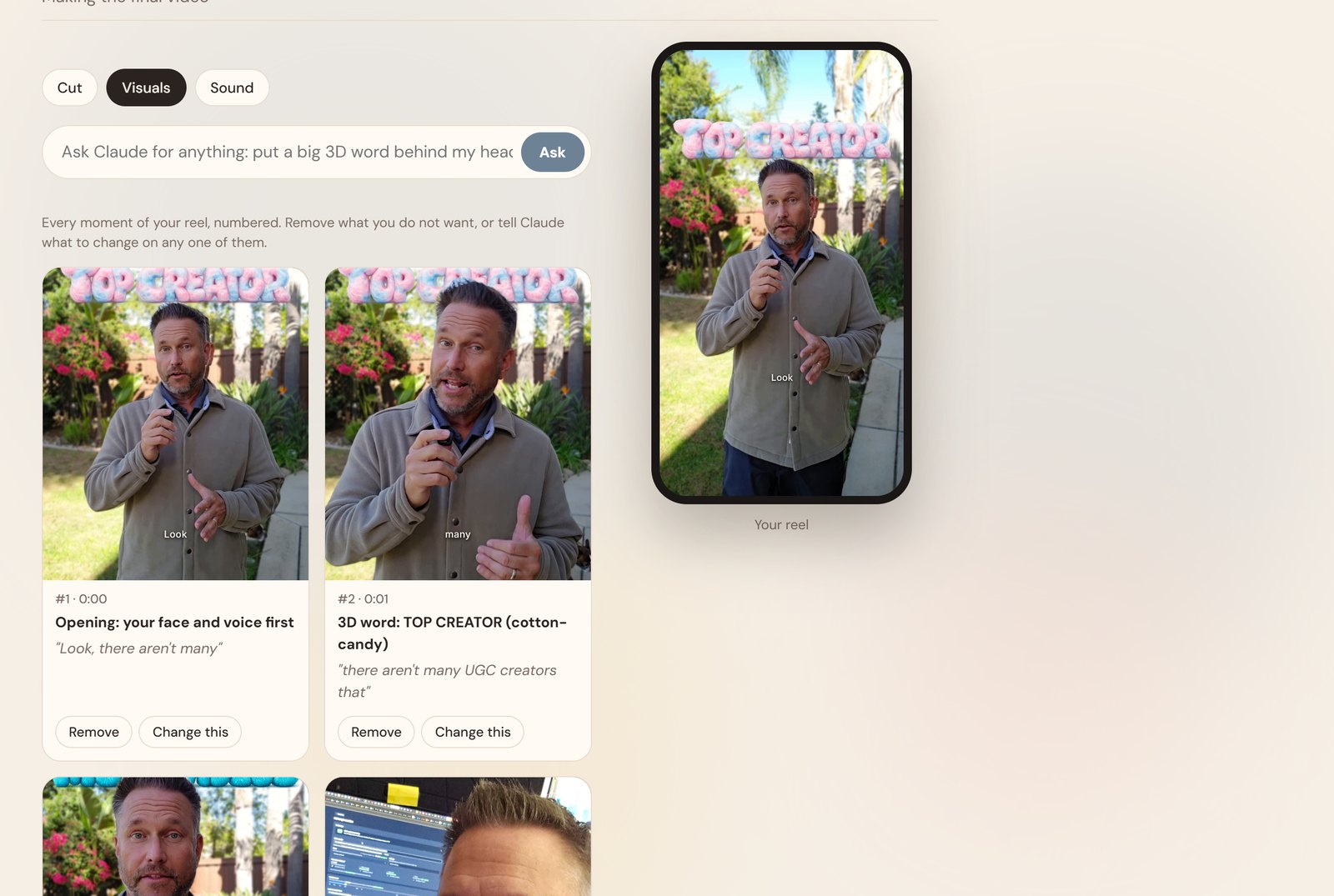
Studio visual plan with colorful 3D words and editable moments
See every planned moment. Remove it or ask Claude to change it.
Real outputs, not a feature checklist

One shoot becomes a whole content plan.

Reels when you want to talk. Slideshows when you do not. Different Looks when the same footage needs a different personality.

Magazine Look: clean editorial captions and graphics
Sunny Side Look: the same footage, a different feeling
A polished slideshow from photos—no talking head needed
Start with what you already have

From “I should post something” to ready to post.

Bring the raw material.

A phone recording, a folder of clips, a pile of photos—or only an idea. Claude can interview you and build the script.

Say what you want.

Ask for reels, Stories, slides, a carousel, a sales video or a month of content. Choose the Look that feels like you.

Review, then share.

Ask for changes in plain English, watch the final result and post it. You stay the creative director.
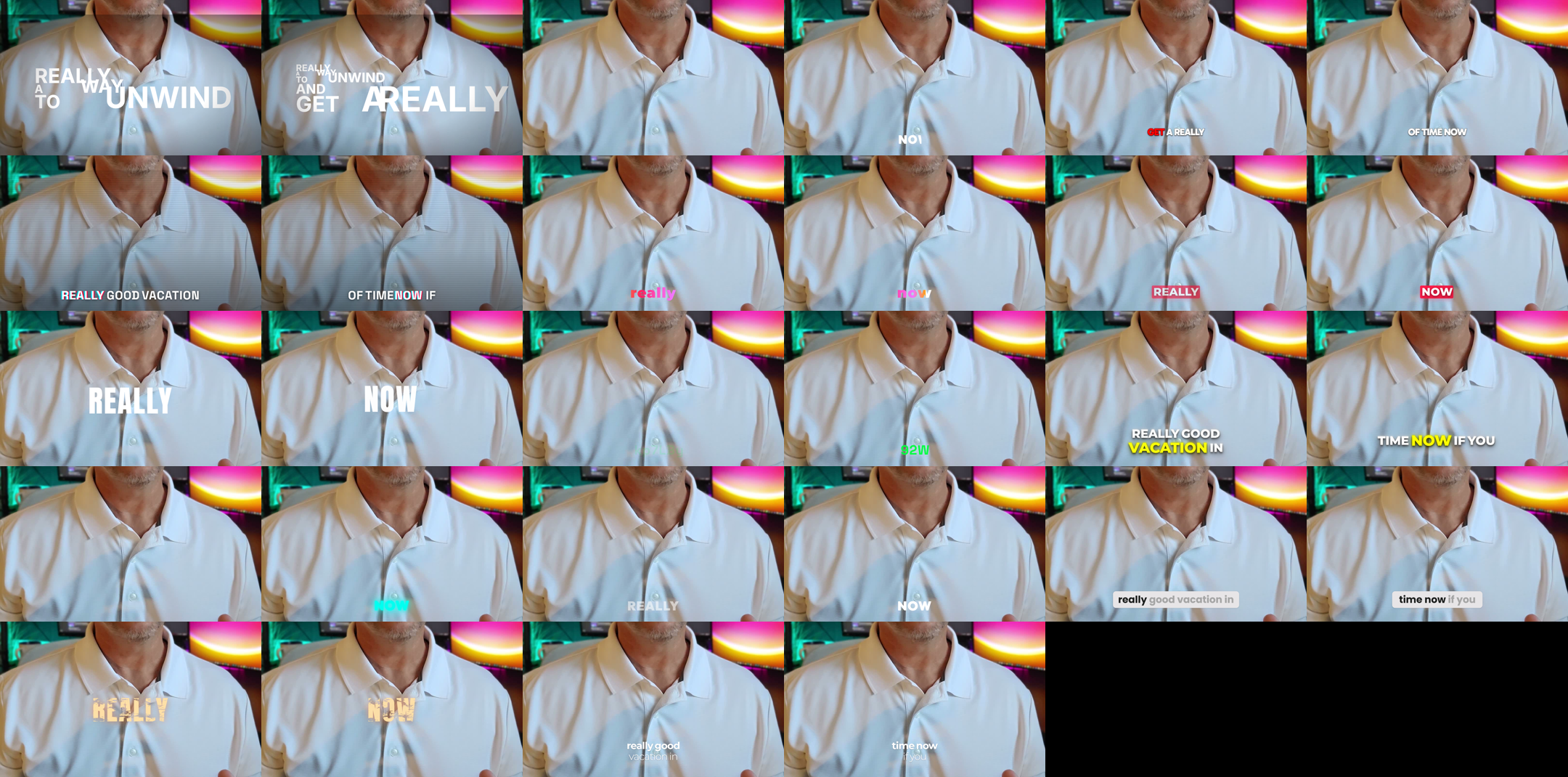
A gallery of different caption styles made with The Yap Machine
Different fonts, captions and motion—not one template stamped on everything.
Pretty by default. Personal if you want.

Your aesthetic. Not our template.

Choose one of 22 built-in Looks and you are ready. Or describe or show the vibe you want, customize the fonts, colors, captions, cards, motion and sound, then save it as your own Look. Keep one signature style, rotate for variety, or build a preset for every client.

Golden HourPool and PalmPalm SunsetPostcardCinematic TravelCitrusSunny SideMagazineCandy PopNight MarketBlushSignalEvergreenExecutiveFall BreezeCinematicClean premiumDynamic creatorMinimalNarrator: LimeNarrator: CruiseNarrator: Pirate Tales+ Unlimited custom presets
More than reels

One idea. Every format.

Turn the same content into Stories, slideshows and carousels without rebuilding each one by hand.
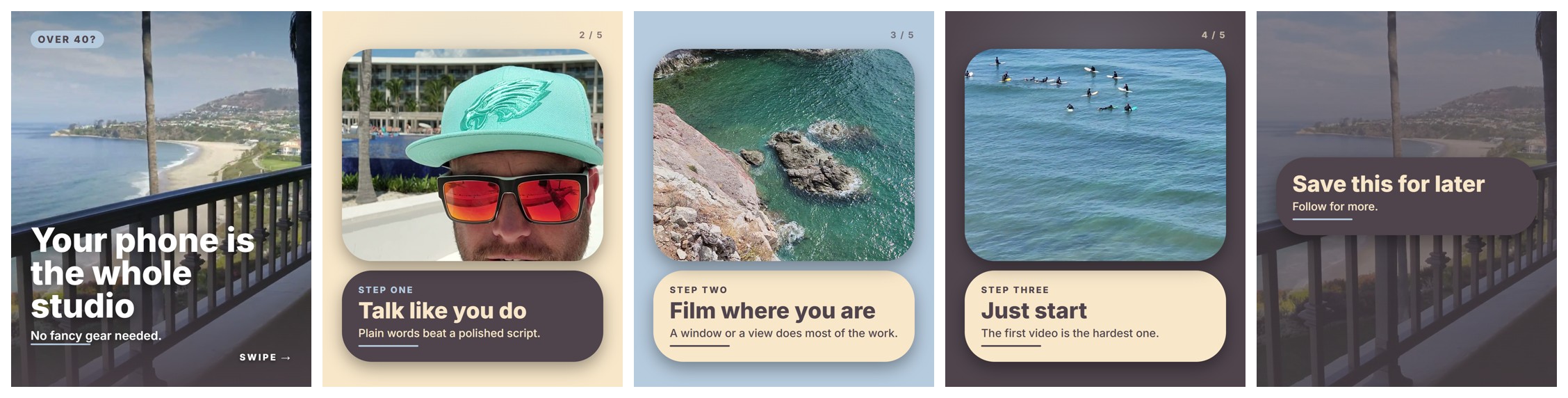
A five-slide photo carousel made with The Yap Machine
A five-slide carousel made from photos and an idea—no talking-head recording required.

See how each feature helps

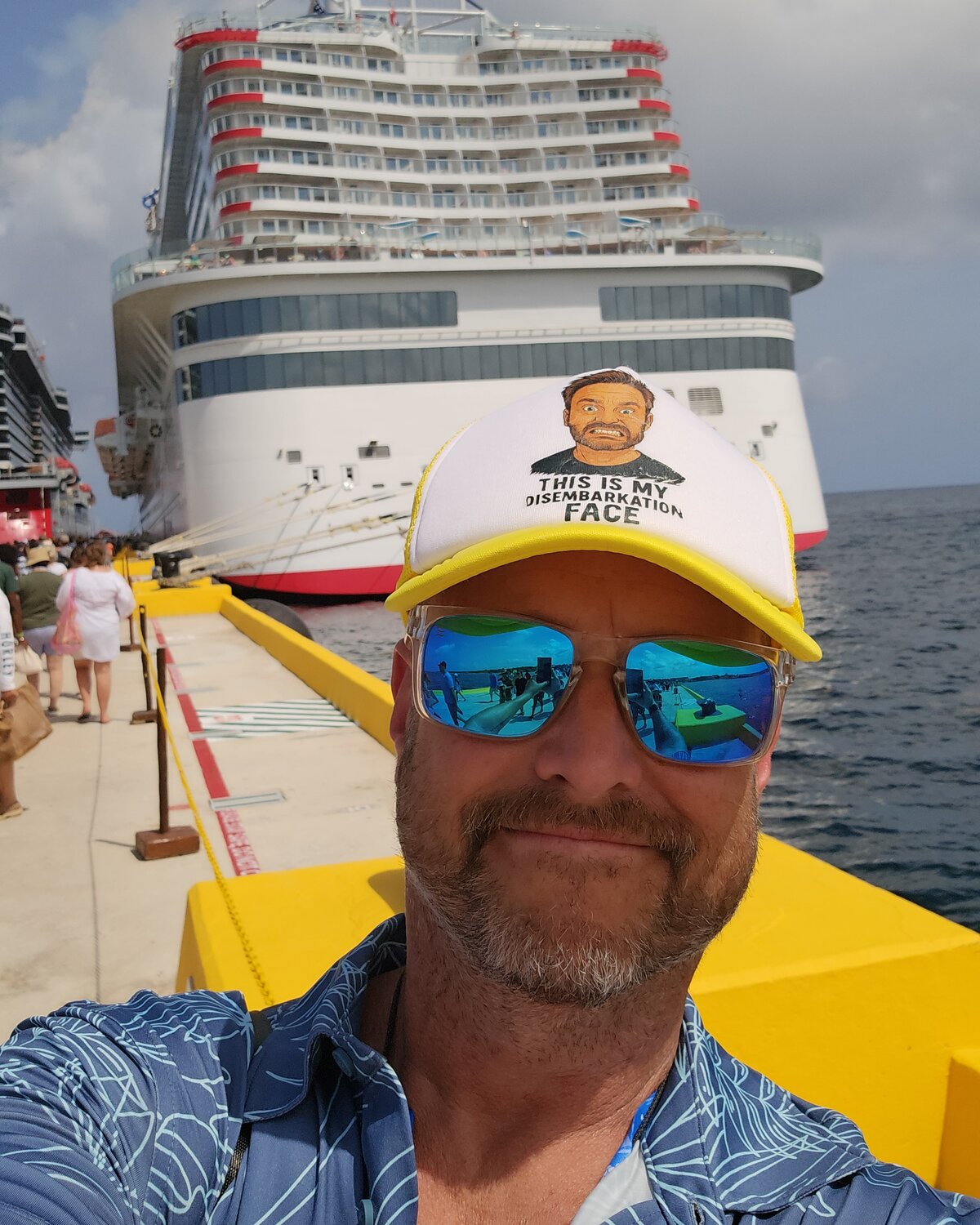
Dave Giovacchini in front of a cruise ship
Dave Giovacchini · working UGC creator
Built from years inside the creator workflow

Hi, I’m Dave. I needed the output without the grind.

I spent years as one of the world’s most-booked UGC and travel creators and earned over $500,000 on Fiverr alone. I know the scripts, hooks, edits, revisions and extra formats that pile up when clients need volume.

I built The Yap Machine to know that workflow and hand the production work to Claude—so creators can make polished, high-volume content without living in a timeline.
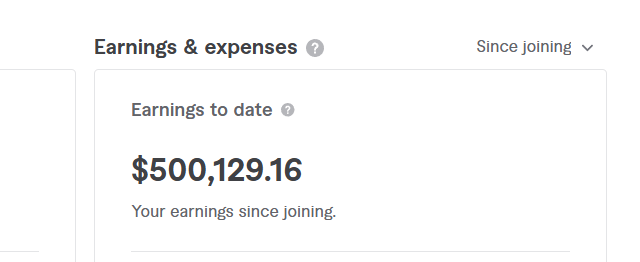
Fiverr earnings dashboard showing 500,129 dollars and 16 cents in earnings to date
Fiverr earnings to date: $500,129.16.
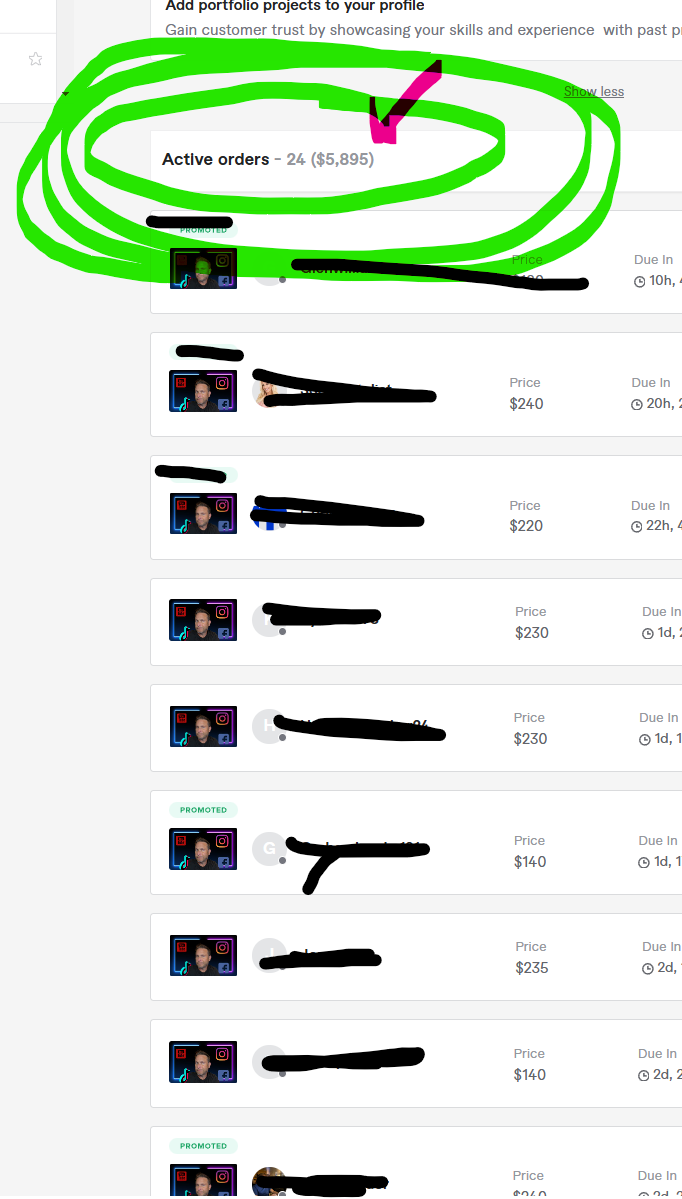
Fiverr dashboard showing 24 active orders totaling 5,895 dollars on October 30, 2024
24 active orders totaling $5,895. Screenshot dated October 30, 2024.

Dave’s personal UGC-client earnings—not income generated by The Yap Machine or a promise of customer results. Read the earnings disclaimer.

A whole editing team, not another monthly pile

Make more content. Keep the $37 simple.

$37

One time. No monthly bill from us.

One time. Windows 10 or 11, or macOS 13+. Needs your own paid Claude plan, billed by Anthropic. 7-day refund if it will not run on your computer.

Mac needs macOS 13 or newer.

Everything you need to start.

  • The Yap Machine editor and full feature library.
  • Cuts, captions, sound, graphics, b-roll, custom Looks and extra formats.
  • The Get Started Wizard and plain-English install guide.
  • A 7-day refund if it will not run on your computer.

What you need: Windows 10 or 11, or a Mac with macOS 13+, about 10 GB free, internet, a phone to film with and your own paid Claude plan billed by Anthropic. First setup takes about 45 minutes, mostly waiting for a download.

Fair questions

Everything you might be wondering.

I do not have hours to edit. What does this actually take off my plate?
The cutting, retake sorting, captions, b-roll matching, music, graphics and extra formats. Bring your clips or idea, tell Claude the result you want, review the plan and let The Yap Machine do the production work.
I need to publish a lot more. How does this help?
Turn one recording into reels, Stories, carousels, slideshows and Shorts, or drop in a folder for bulk editing. You are not rebuilding every post from zero, so the same filming time can produce much more finished content.
What if I have never edited a video?
You do not need timeline skills. In the Studio, add your clips, describe what you are making, tap a Look and press Make it. You can review the Visuals, Cut and Sound before the final render and ask for changes in plain English.
What if I do not know what to say or post?
Let Claude interview you, then ask for hooks, a script, a shot list or your next five reel ideas. It can also turn a brand brief into a filming sheet, so you are not staring at a blank page before you film.
Will the videos actually look good, or just be automatically chopped up?
A Look controls the fonts, colors, captions, cards, motion, transitions, sound and color grade. Add music, graphics and your own b-roll, then review the result. The point is a polished video with a deliberate aesthetic, not merely a shorter raw clip.
Can I match my own vibe or an example I like?
Yes. Describe the aesthetic or show an example of the style you want. Start from a built-in Look, then make the fonts, colors, captions and motion yours. Save the result as your own Look or a separate preset for each client.
Is it plug and play, or do I have to customize everything?
Both are choices. Pick a preset and make a video with very few decisions, or customize nearly every visual and sound choice. You can begin simple and add more control only when you want it.
Will every video look like the same template?
Not unless you want it to. Pin one Look for consistency, rotate Looks for variety, or create unlimited custom presets. Your own fonts, colors, spellings and standing style rules can be remembered for later videos.
What if I hate being on camera?
Use only your voice and let it cover the reel with your own footage. Or skip the talking-head recording: Claude can help write the script and build carousels, photo slides or slideshow videos from your photos and idea.
Can it make more than short reels?
Yes. Make sales videos from your script, chaptered YouTube videos with b-roll, Shorts from longer recordings, video Stories, carousels and slideshows. It handles short-form and long-form without making you learn a different editor for each.
Do I give up creative control when it edits automatically?
No. Claude proposes the plan before the full render. Review the visuals, words and sound, remove moments or ask for changes in plain English, then watch the finished video before you post it.
Does it use an AI voice or avatar?
No. It edits your real voice and real face. It also checks the planned words and numbers against what you supplied, rather than intentionally inventing claims for your video.
What do I need, and is setup technical?
A Windows 10 or 11 computer, or a Mac with macOS 13+, about 10 GB free, internet and your own paid Claude plan. Setup takes about 45 minutes, mostly waiting for a one-time download, and the plain-English picture guide walks you through it.
Why do I need Claude, and are my videos uploaded?
The Yap Machine runs inside the Claude app on your computer; Claude is billed separately by Anthropic. Ordinary videos, scripts and recordings stay on your computer. Only optional features you choose, such as Google Drive folders or 3D Word Looks with your own OpenAI account, use those outside services.
Are there any other costs or limitations?
Optional 3D Word Looks use your own OpenAI account and cost a few cents per new word; saved words are free to reuse. Rendering takes a few minutes on your computer. CapCut export is still being tested, so Ready to post is the dependable choice if a project will not open.
Will this get me clients or income, and what if it will not run?
There is no promise of income, views, followers or clients; it removes production work so you can create more. Dave’s earnings are his own UGC history. If The Yap Machine will not run on your computer, ask for a full refund within 7 days of purchase.
Ready when you are

Your next month of content starts with one recording.

Tell Claude what you want. Keep your style. Get your week back.

One time. Windows 10 or 11, or macOS 13+. Needs your own paid Claude plan, billed by Anthropic. 7-day refund if it will not run on your computer.

Mac needs macOS 13 or newer.

Explore every feature